Compare grocery prices and find the best value nearby.
Compare grocery prices near you, find nearby stores, and spot the best value without the guesswork. Set your location once, or browse another area before you travel.
Install on your device
Not available
This browser does not expose a direct install flow here.
See grocery price comparison in action
Step 1: Set your location
Pick your area, or choose another location to compare nearby stores before you head out.
Step 2: Search for groceries
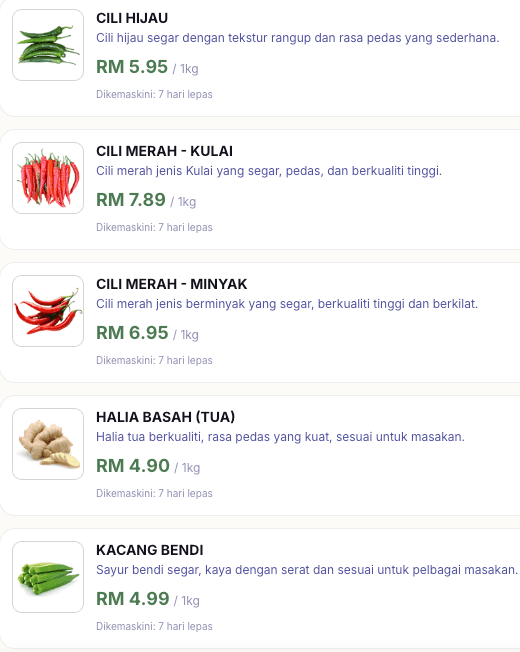
Search for a grocery item and see nearby options right away.
Step 3: Find the cheapest price
See the lowest-priced grocery options first.
Step 4: Find the best value
Compare price and distance to see which store makes the most sense.
Get price updates in your inbox
Subscribe once and we will use your SemakHarga area to keep future updates more relevant.
SemakHarga Newsletter
Nearby grocery prices, straight to your inbox.
Get more relevant grocery price updates based on your SemakHarga location. You will also be among the first to hear about nearby promos so you can enjoy the savings sooner.
FAQ
Answers about grocery price comparison, nearby stores, and installing SemakHarga
SemakHarga helps you compare grocery prices, store distance, and overall value so you can decide quickly where to shop.
Yes. You can look for the cheapest option, the nearest option, or the best balance of price and distance.
Yes. You can search by item or by store, depending on what you need at the moment.
No. You can start exploring first. Location is only needed when you want local results or want to browse another area.
Yes. That is one of the main use cases. Set the location for the place you want to check, then compare stores there before you go.
Best value looks at price together with distance, so you can see which store is the most sensible choice rather than only the lowest price.
Yes. Basket comparison helps you see which store gives the best total cost for the items you plan to buy.
Yes. Once you set it, the app keeps it so you can return and continue searching without repeating setup.
Yes. Just tap the location tag anywhere in search, store, item, or basket screens and choose a different area.
Because the nearest option is not always the best value. Location lets the app sort results in a way that matches where you actually are or where you plan to be.
It is a progressive web app. You can use it in the browser or install it to your home screen.
Open the Share menu in Safari, then choose Add to Home Screen.
Use the browser menu if the install prompt does not appear automatically.
Use the browser install option if your browser shows one, or the app icon in the browser.
No login is needed just to search and compare prices.
The data is updated daily. You will usually see the last updated date together with the price, so look out for it when comparing results.
You can compare distance, store options, and basket totals, so the result is more practical than a simple price list.
Yes. You can switch to another location and check what is nearby before you leave.
Yes. It is especially useful when you want to save a few ringgit without making a long detour.
Start with search, then set or change your location if you want nearby results or want to compare another area.